The Schema Mistakes That Make Your Business Invisible to Local Search
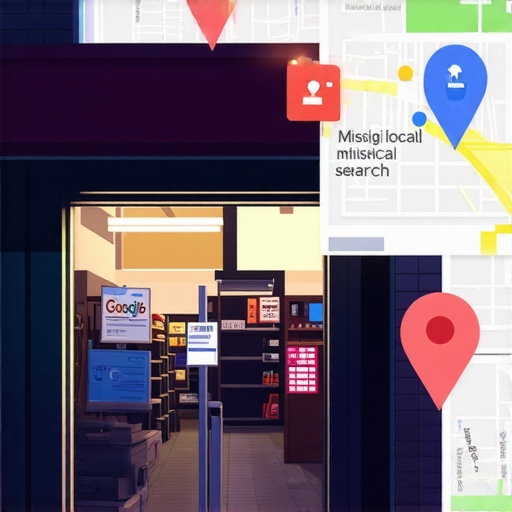
You’ve invested thousands into a high-converting website. You’ve secured fifty 5-star reviews from satisfied clients. Your office is centrally located, and your service is second to none. Yet, when you search for your services in the local map pack, your business is nowhere to be found. You are, for all intents and purposes, invisible. This is the frustrating reality for many business owners who excel in the physical world but fail in the digital “translation” layer. To dominate google business profile seo, you must understand that Google is not a human browsing your site; it is an algorithm that requires a specific digital dialect to understand who you are, what you do, and where you do it. That dialect is Schema Markup.
Schema markup, specifically in the JSON-LD format, acts as the digital translator between your website’s human-readable content and Google’s database. When this translation fails due to technical errors, your business loses its “Spatial Trust.” In my decade of experience as an SEO specialist, I have seen multimillion-dollar firms lose out to smaller competitors simply because their structured data was broken. If you want to rank google business profile assets effectively, you cannot afford to treat schema as an afterthought. It is the foundation of your local relevance.
Why Google Ignores Perfect Businesses (The Cost of Bad Code)
Google’s primary goal is to provide searchers with the most accurate, trustworthy information possible. If a plumber in Chicago has a website that looks great to a human but contains conflicting or unreadable code, Google’s algorithm views that business as a risk. Why recommend a business to a user if the machine isn’t 100% sure of the operating hours or the service radius? When your schema is flawed, Google doesn’t just “guess”; it often ignores your structured data entirely.
This technical neglect leads to a total lack of rich snippets and, more importantly, a suppression in the Local Map Pack. If the machine cannot parse your data, you are essentially invisible to the very systems designed to highlight you. This is one of the primary 5 mistakes killing your 2026 local leads. Without a clear, error-free schema implementation, your local business seo strategy is built on a foundation of sand. Google needs certainty to rank you, and schema is the only way to provide that certainty at scale.
Error #1: Invalid JSON-LD Syntax (The “Silent Killer”)
JSON-LD (JavaScript Object Notation for Linked Data) is Google’s preferred format for structured data. It is powerful because it is separate from your HTML, making it easy to manage. However, JSON-LD is notoriously unforgiving. Unlike HTML, which browsers often try to “fix” on the fly, a single syntax error in a JSON block will cause the entire script to fail. This is the “silent killer” of local rankings because your website will look perfectly fine to you, while Google sees a wall of broken code.
The most common syntax errors include missing commas between key-value pairs, unclosed curly brackets, or the use of “curly” (smart) quotes instead of straight quotes. For example, if you list your business address but forget a comma before the next line of code, the Google bot stops reading right there. This level of technical granularity is why many businesses eventually seek out a professional gmb ranking service to handle their backend optimization. To identify these hidden traps, I recommend using local seo tools like SEO Viper Tools, which can audit your technical gaps and highlight exactly where your syntax is failing. Without a clean bill of health on your JSON-LD, you are effectively shouting into a void.
Error #2: The NAP Inconsistency Nightmare
NAP stands for Name, Address, and Phone number. In the world of local search optimization, NAP is the “Social Security Number” of your business. Google uses these three data points to verify that the business listed on your website is the same entity listed on your Google Business Profile and across various directories. A major mistake I see is “Schema-Profile Mismatch.”
If your Schema markup lists your address as “123 Main Street, Suite 100” but your Google Business Profile says “123 Main St, Unit A,” you have created a trust conflict. To a human, these are the same. To an algorithm, they are different data points. When Google encounters mismatched citations between your on-site schema and your off-site profiles, it devalues your authority. This inconsistency signals that your business information is unreliable, which is a fast track to the second or third page of search results. Every character in your LocalBusiness schema must be an exact mirror of your verified GMB data.
Error #3: Missing Required Properties (The “Name” and “Address” Trap)
Simply having a “LocalBusiness” schema tag isn’t enough. Google requires specific properties to be present for the data to be eligible for rich results and map pack placement. Far too often, business owners include the name of the business but omit the “image” tag, the “priceRange,” or the “telephone” property. Google Search Console will flag these as “Warnings” or “Errors,” and while warnings don’t always stop a rich result, “Errors” in required fields will disqualify you entirely.
Specifically, for businesses trying to rank higher on google maps, the “geo” property (latitude and longitude) and the “areaServed” property are critical. If you are a service-area business, failing to define your boundaries via schema is a massive missed opportunity. You must tell Google exactly where you operate. I’ve detailed how to fix this specific issue in my guide on the hidden schema fix for service areas. Without these coordinates and service definitions, Google struggles to determine your proximity to the searcher, which is a primary ranking factor in the local algorithm.
Error #4: Using Deprecated or Outdated Vocabulary
The Schema.org vocabulary is updated frequently. What was considered “best practice” three years ago may now be deprecated. A common error involves using outdated social media properties or old currency formats that Google no longer supports. For google business profile optimization, your schema must reflect the current standards of 2026.
Using outdated code signals to Google that your website is not being actively maintained. In an era where AI-driven search and “near me” queries dominate, freshness is a proximity signal. If your site is still referencing properties like “GooglePlus” or using deprecated “PostalAddress” formats, you are likely suffering from technical lag. This is often linked to satellite ping errors, where the connection between your physical location data and the digital “pings” Google receives is disrupted by obsolete code. Keeping your schema updated isn’t a “one and done” task; it requires ongoing maintenance to stay competitive in the local map pack seo.
Industry-Specific Schema Blunders
Not all local businesses are created equal in the eyes of Schema.org. Depending on your industry, there are specific sub-types you should be using to maximize your google maps lead generation.
Contractors & HVAC
The biggest blunder for contractors is using the generic “LocalBusiness” type instead of more specific types like “HVACBusiness,” “Plumber,” or “Electrician.” Furthermore, they often fail to utilize the “Service” schema to link their specific offers (like “AC Repair”) to their business entity. Without this, Google may know you’re a contractor, but it won’t necessarily know you’re the best choice for a specific emergency repair query.
Lawyers & Dentists
For professional services, the “aggregateRating” and “openingHours” properties are vital. I often see law firms miss the “LegalService” schema type, opting instead for “Organization.” This is a mistake because “LegalService” allows for specific properties like “knowsAbout,” which can highlight your expertise in personal injury or criminal defense. Missing “openingHours” is particularly damaging; if Google isn’t sure you’re open, it won’t show you to someone in a “lawyer near me now” search.
Real Estate
Real estate agents often mistakenly use “Organization” schema for their personal agent site. They should be using “RealEstateAgent.” Additionally, failing to link individual property listings with “Product” or “Place” schema prevents those listings from appearing as rich results, which drastically lowers click-through rates. To rank google business profile pages for real estate, you need to show Google a clear hierarchy of your listings and your physical office location.
How to Audit and Fix Your Schema Today
Fixing your schema doesn’t require you to be a computer scientist, but it does require a methodical approach. Follow these steps to move from invisible to authoritative:
- Use the Google Rich Results Test: This is your first line of defense. Paste your URL into the tool to see exactly what Google sees. It will highlight syntax errors and missing required fields.
- Monitor Google Search Console: Navigate to the “Enhancements” section. Look for “Unparsable structured data.” If you see red bars here, your local search optimization is currently broken.
- Validate via Schema.org: Use the Schema Markup Validator. While Google’s tool tells you what *Google* likes, the Schema.org validator tells you if your code is technically correct according to the global standard.
- Sync with GMB: Ensure your JSON-LD script matches your Google Business Profile character-for-character.
If this technical deep-dive feels overwhelming, you aren’t alone. Many high-growth companies outsource this to a specialized google maps ranking service like SEO Viper Tools. Using professional local seo software can automate the detection of these errors, ensuring that your gmb optimization service is backed by perfect code.
Conclusion: From Invisible to Irresistible
In the competitive landscape of local search, your business cannot afford to be “lost in translation.” Schema markup is not just a technical checkbox; it is the bridge that connects your physical excellence to Google’s digital index. By eliminating syntax errors, ensuring NAP consistency, and filling in missing properties, you build “Spatial Trust” with the algorithm. This trust is the engine that drives your google maps seo and puts you in front of ready-to-buy customers.
Before the next 2026 algorithm update rolls out, perform a comprehensive google business profile audit. Check your code, fix your errors, and stop being invisible. When the machine understands exactly who you are, it will have no choice but to show you to the world. Don’t let a missing comma be the reason your phone stops ringing.